
FabVitals Subcontratado
Work that leaves the building, still in sight.
A portal on the subcontractor's phone: they confirm the material arrived, record what they make each day and report problems — and every answer lands on the same order in your MES.
Today
A batch goes out for stitching and the plant loses track of it. Progress is asked for by phone, promised dates slip without warning, and the quantities that come back are only known when the van arrives.
After
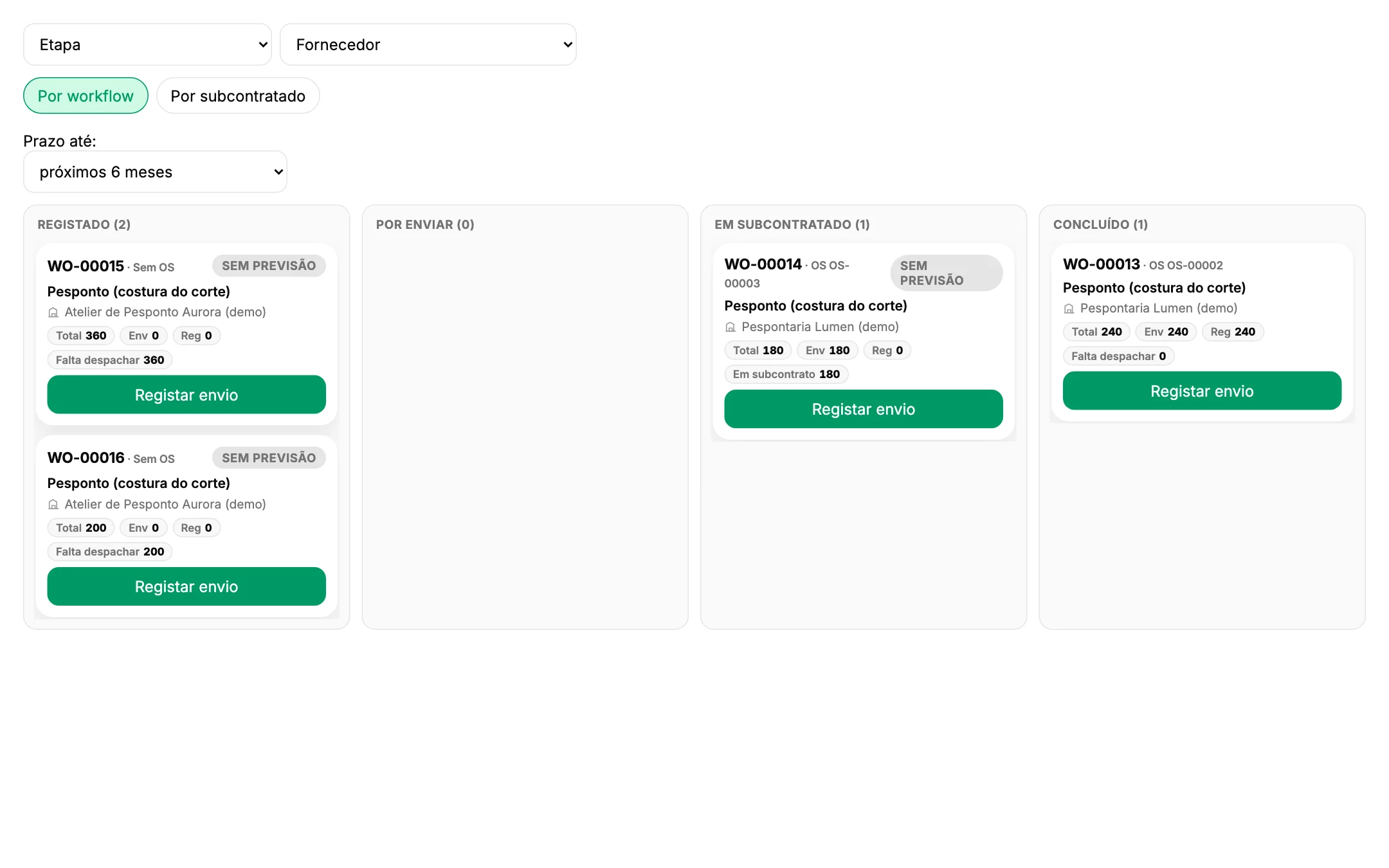
Each subcontracted order shows where it is: announced, received, in progress or finished, with what was sent, what came back and what is still out. Delays and problems are known the day they happen, not on delivery.
What changes
Three things that change on the floor.
Simple enough for any workshop
The subcontractor opens a link or scans a QR code once, then signs in with their phone number and a PIN. Big buttons, plus and minus instead of typing, four languages — and it installs on the phone without an app store.
One status, on both sides
Received, started, produced today, finished: what the subcontractor records updates the order in the MES, and the board of the plant shows sent, returned and outstanding quantities by supplier.
Problems before they are late
Missing material, quality, a breakdown, absence: the subcontractor reports it from a short list of reasons, and pieces with defects are declared with the daily quantity, not discovered at reception.
The product at work
The same order, seen from both sides.
Screens from a demonstration environment with a footwear plant and two stitching workshops.
On the subcontractor's phone
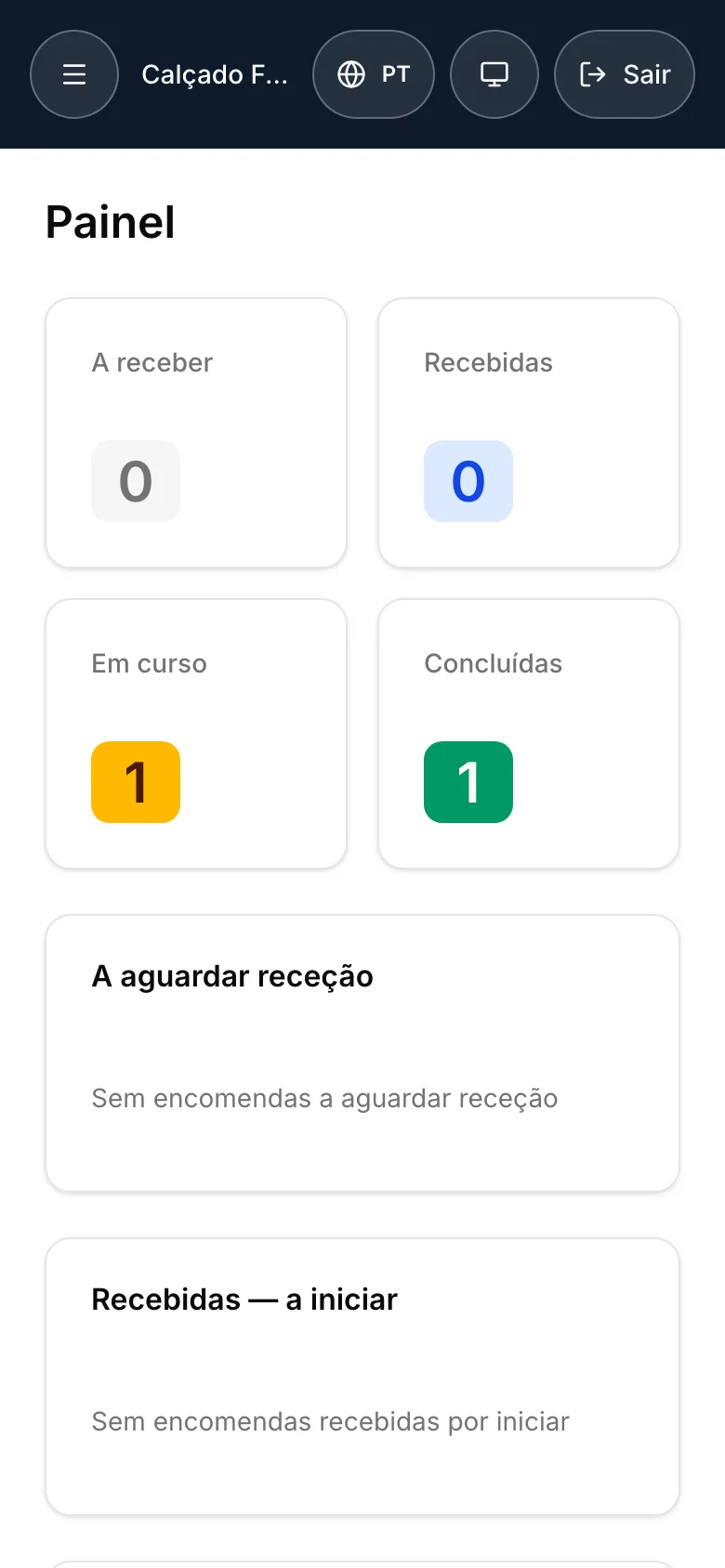
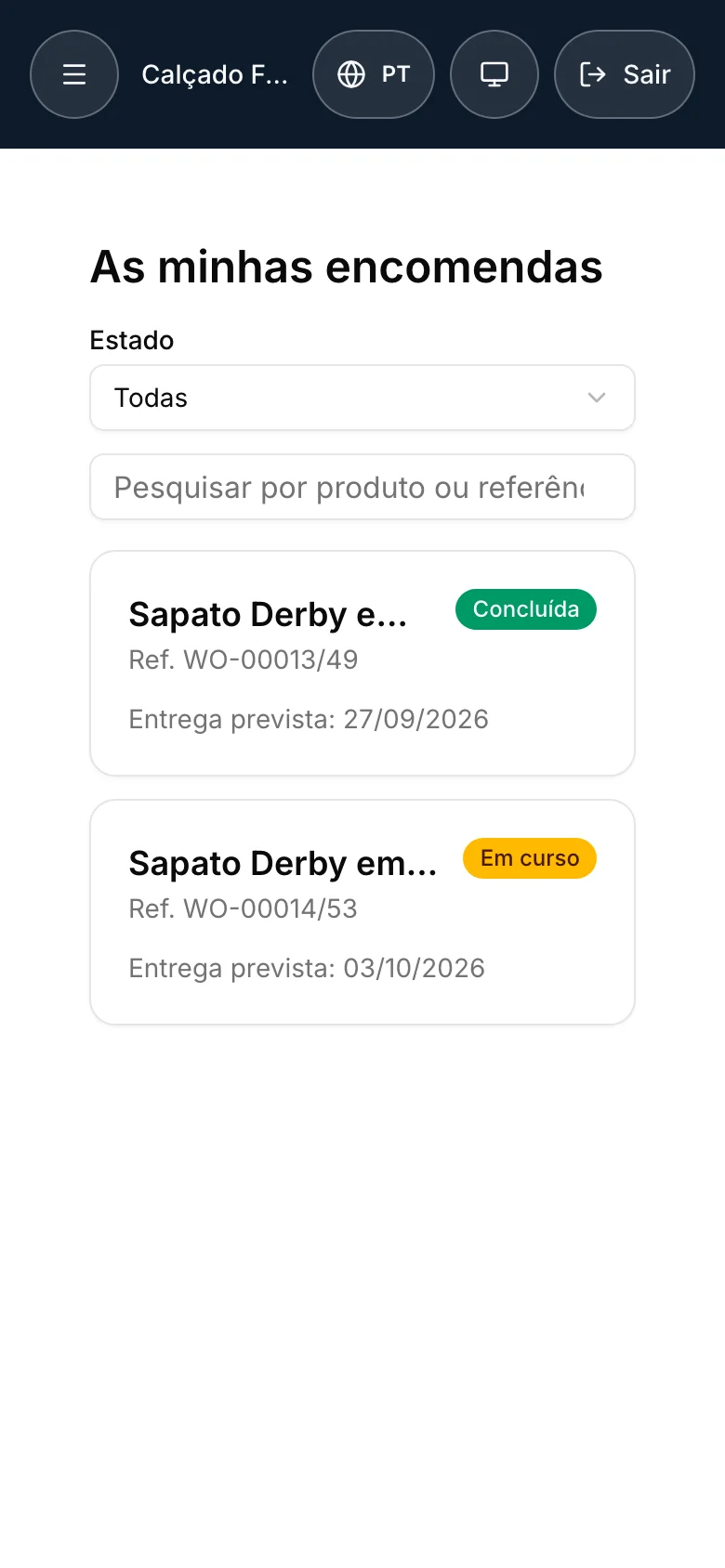
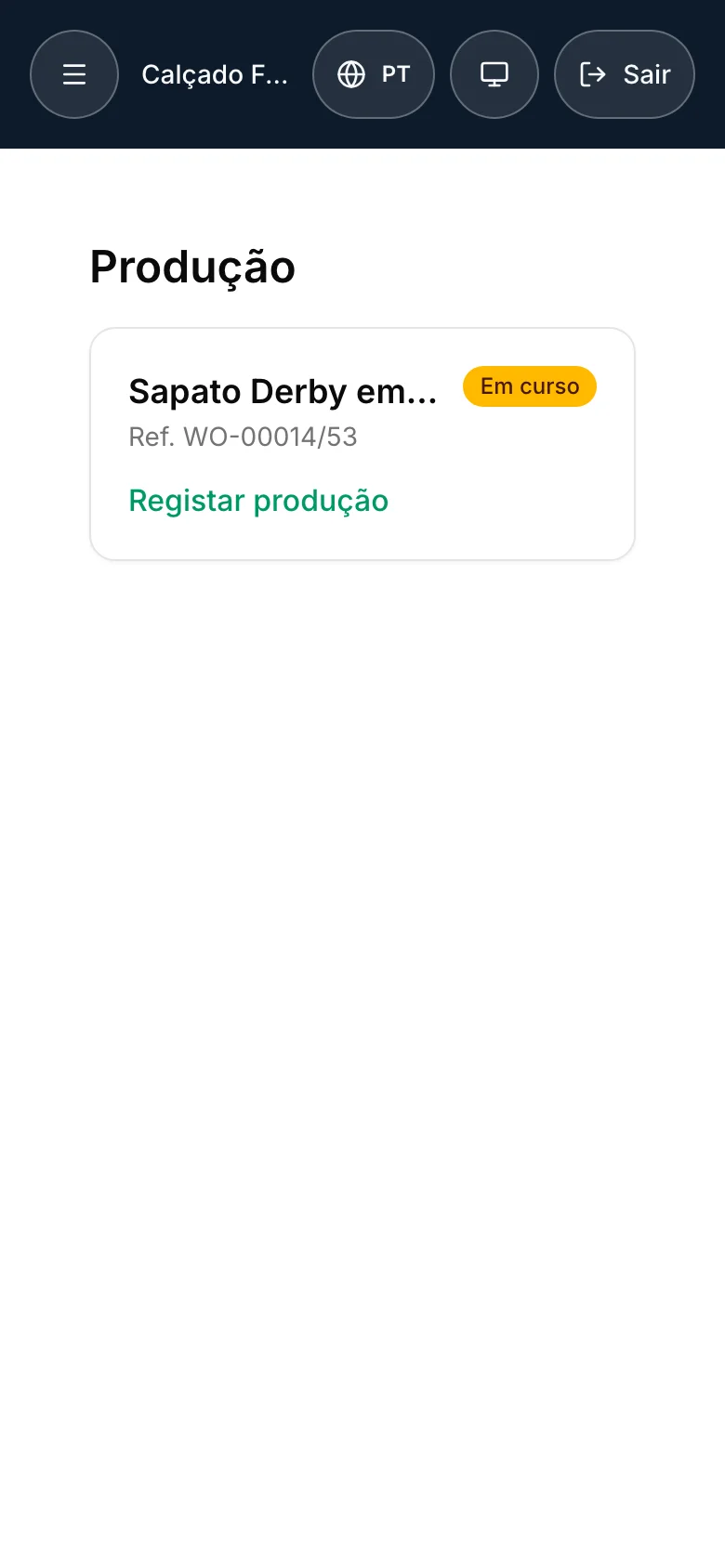
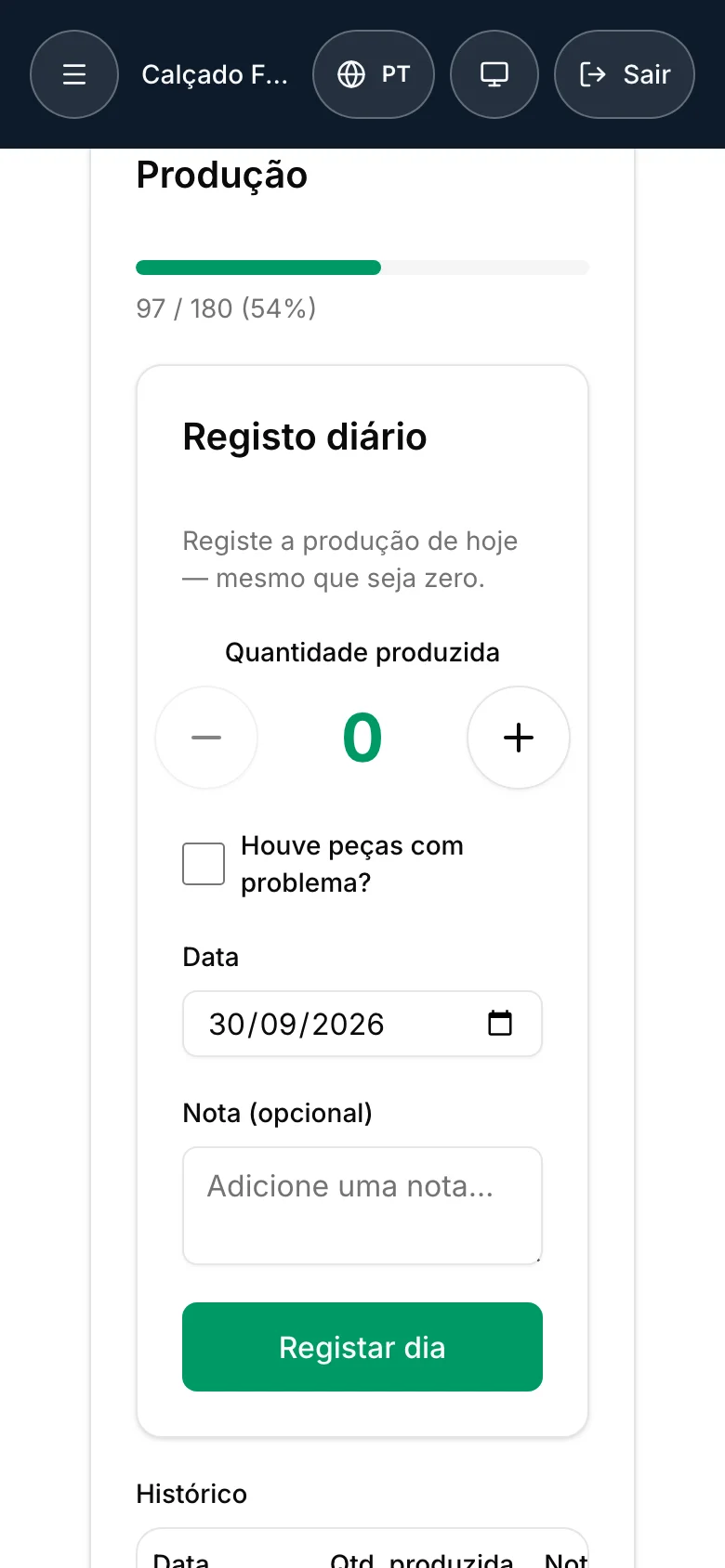
A dashboard of what is on the way, received, in progress and finished; the orders with their reference and delivery date; and the daily record — the quantity made today, even zero, and whether any pieces had a problem.
In the plant
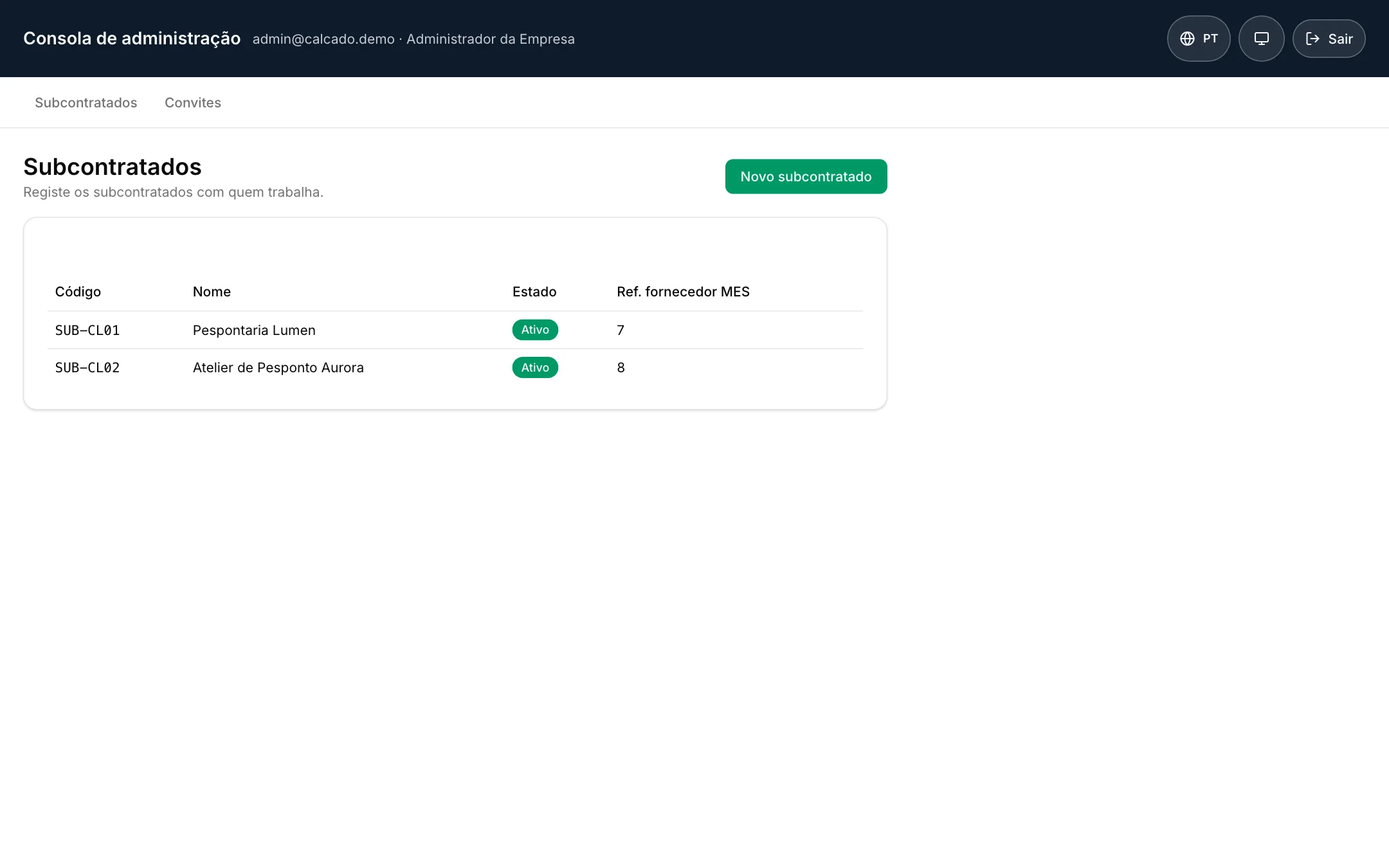
The subcontracting board of the MES follows each order by stage or by supplier, with the quantity sent, returned and still to dispatch. The company manages its subcontractors and the invitations in its own console.
How it works
First we understand your floor. Then we adapt the solution.
The software is the proof, not the starting point. Every project follows the same three steps, and the first one happens where the work happens.
Requirements on the shop floor
We spend time at the lines and stations: how orders arrive, what is recorded today and where, where information gets lost. You get a written summary of what we found, whatever you decide next.
Adaptation to your process
We configure the solution around how you work — routings, stations, units, the words your people already use — and connect it to the ERP you run. Your process does not bend to fit the software.
Start-up, one area first
We go live on one line or one area, train the people who will use it every day and stay close in the first weeks, when the data shows recording habits before it shows production.
Serves your industry
Built on ISA-95, so it fits how your plant already works.
ISA-95 is the international standard for manufacturing operations. The model underneath is the same for any plant that turns materials into products — the examples below illustrate it, they do not limit it.
Textile and clothing
Sewing, embroidery or printing sent out by batch, with the pieces that come back counted against what left, by size and colour.
Footwear
Uppers sent to stitching workshops, pairs followed day by day, and the delivery date of each workshop known before the assembly line needs it.
Metal, plastics and other processing
Heat treatment, coating or machining done outside, with the parts sent and returned by lot and the delays known before they stop the next operation.
The same holds for processing in general: wherever there are orders, routings, work centres and materials, the model fits.
Start with your process, not with the software.
The first conversation is about how your floor works today, not a product demo. Then we tell you honestly whether this module, another path, or nothing at all is the right answer.