
FabVitals AI
Ask the factory a question, and get the answer from its own data.
An AI assistant connected to FabVitals MES through MCP, the open standard for giving assistants access to business systems: questions in plain language, in your language, answered from the orders, the plan and the OEE of the plant.
Today
Every question about production becomes a report to build, a filter to find or a call to someone who knows where to look. By the time the answer arrives, the meeting is over.
After
Managers and planners ask what they need — which orders are late, why OEE dropped on a line, which subcontractor misses deadlines — and the assistant answers from live data, within the permissions of who is asking.
What changes
Three things that change on the floor.
Answers from the system, not from guesses
The assistant reads the orders, routings, OEE, production plan and subcontracting of FabVitals MES. When something is missing or not allowed, it says so instead of inventing.
The same permissions as the backoffice
Each person connects with a personal access key and sees exactly what they already see when logged in. Keys expire and can be revoked at any moment.
Read-only, and on record
The assistant can look, never change: no order, plan or quantity is touched. Every question it sends to the system is logged with who asked and what was returned.
The product at work
What you can ask.
In plain language, in the language of whoever is asking. The assistant turns the question into reads of the system and the answer into the language of the shop floor.
Questions the plant asks every day
Orders
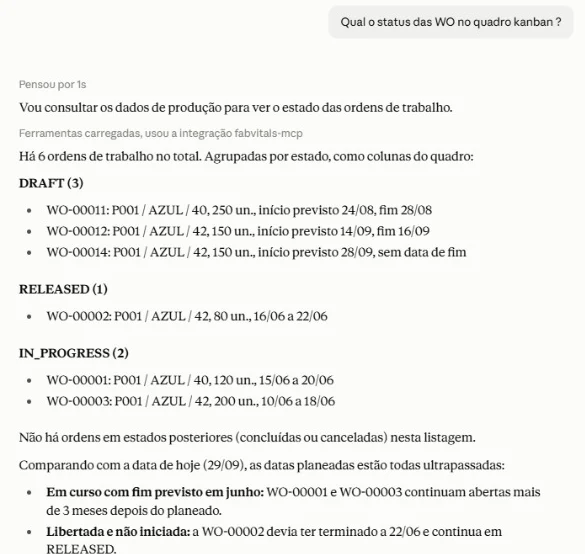
Where is this order, which step is it at, and how much time is still planned for it?
OEE
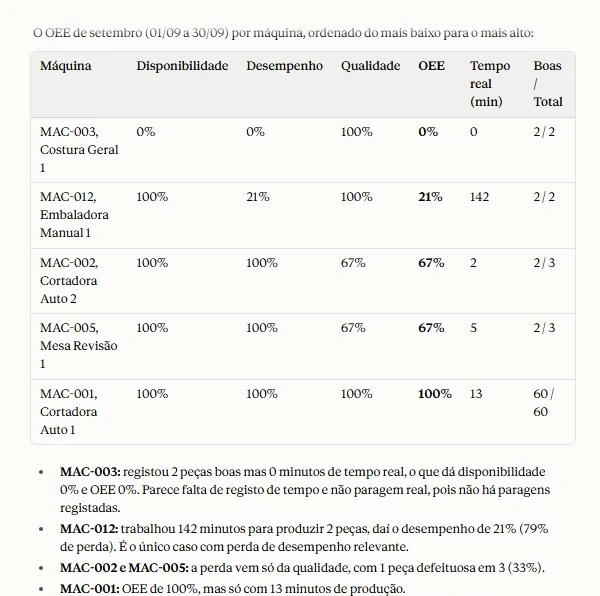
How did OEE evolve this month, and which line, machine or operation pulled it down?
Production plan
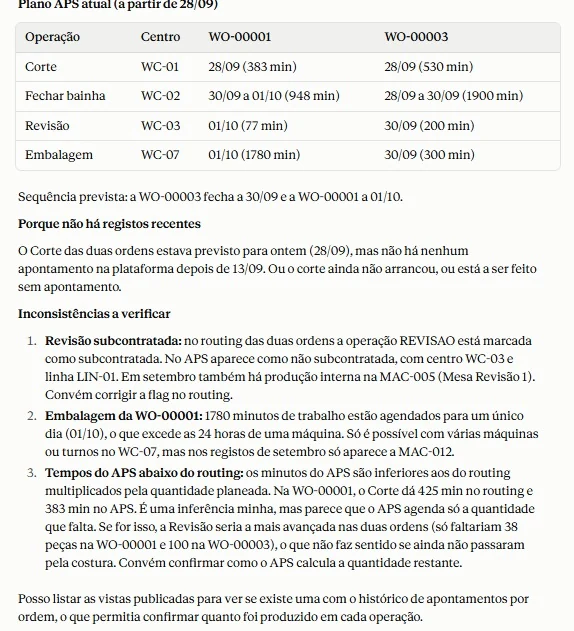
What is planned for this work centre this week — and is the plan up to date?
Subcontracting
Which subcontractors have work overdue, and how reliable have they been with deadlines this year?
The plan, explained — and on screen when you need it
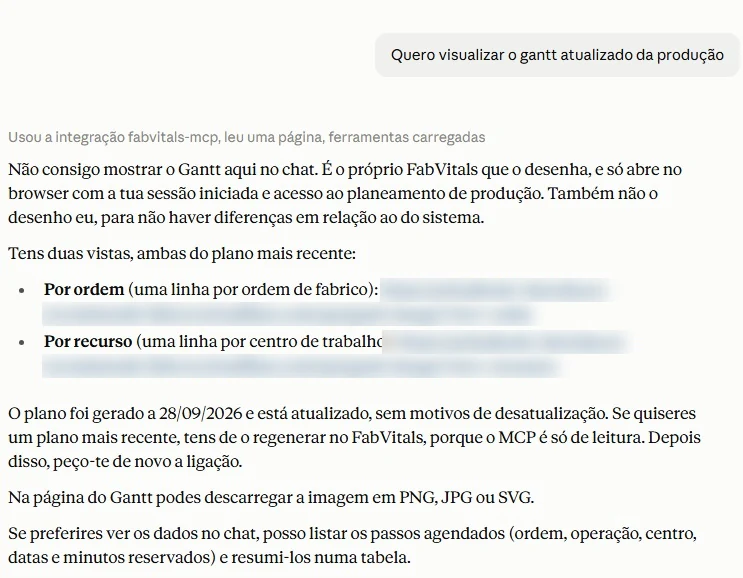
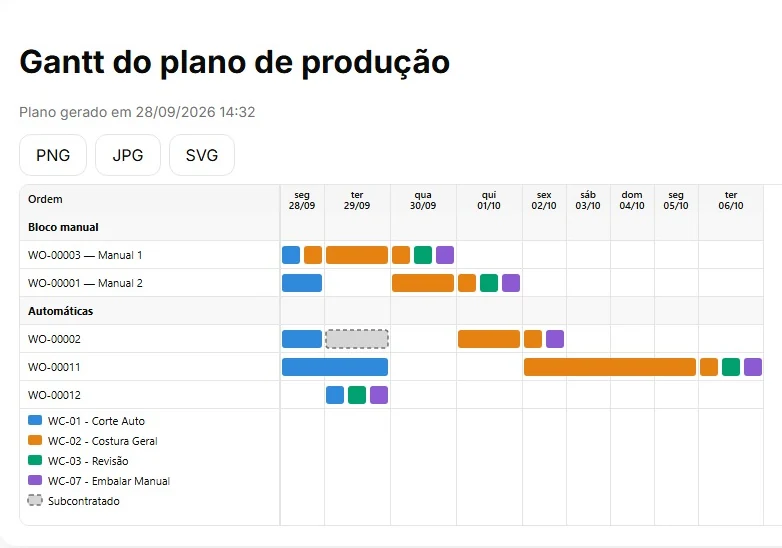
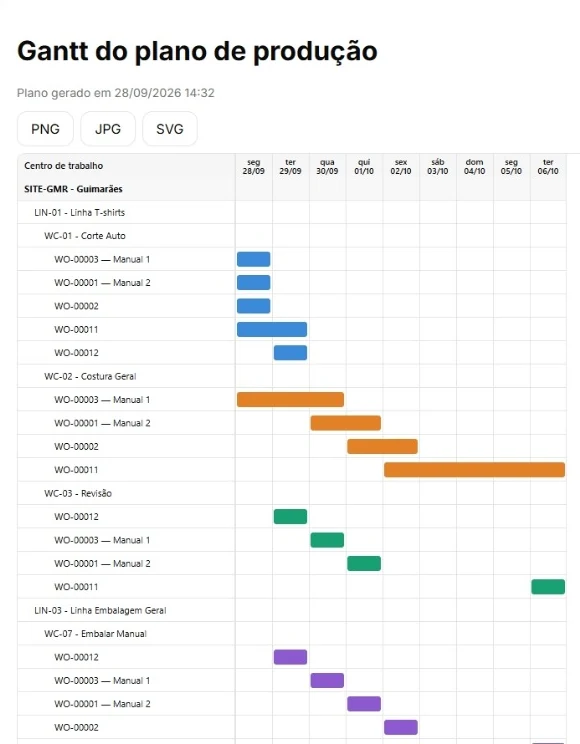
The assistant reads the latest production plan, compares it with the routing and with what was recorded on the floor, and points out what does not add up. When a picture says more, it hands you the link to the Gantt drawn by FabVitals itself, so the chart you see is always the one in the system.
Your factory assistant, in your company's AI account
FabVitals AI is not one more app to install. The plant connects FabVitals MES, through MCP, to the AI assistant account the company already uses — Claude, or any other assistant that supports MCP. From then on, managers and planners have an assistant at hand, on the computer or on the phone, to know at any moment how the factory floor is doing.
Turn it on in FabVitals
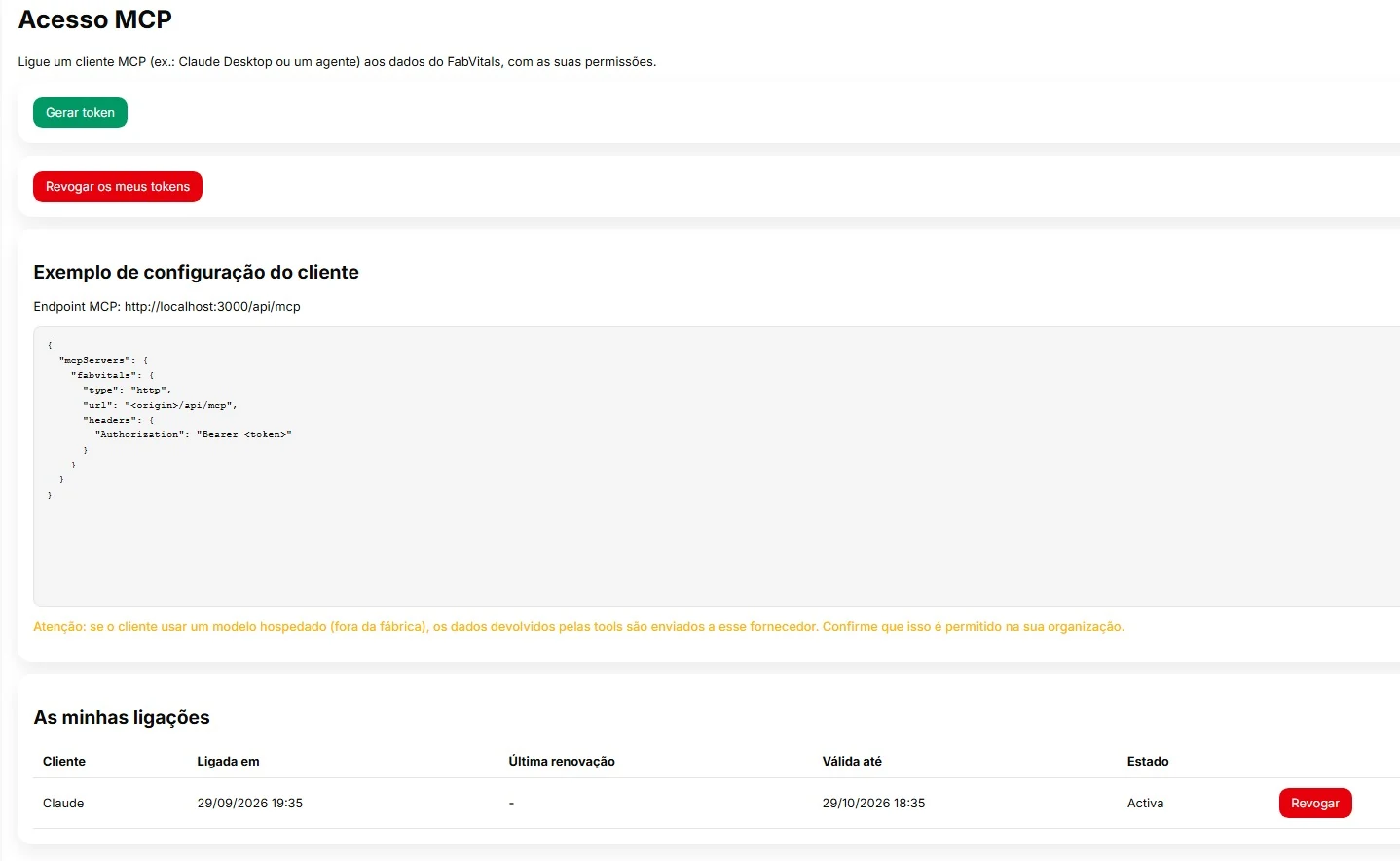
An administrator enables AI access for the people who need it. Each person generates a personal key in the backoffice, which expires and can be revoked at any time.
Add the connector
In the company's AI account, FabVitals is added as a connector, with the address of your installation and the personal key. It takes a few minutes, and we set it up with you at start-up.
Ask, wherever you are
In the office, on the floor or in a meeting: the status of an order, the OEE of the week, what the plan says for tomorrow — in plain language, answered from live data.
See and cut every access
Each connection is listed with when it was made and until when it is valid, and every question sent to the system is recorded. Revoking a key cuts the access at once.
Under the control of the plant
Connecting an assistant to production data is a decision for the company, not for the software. FabVitals AI is switched off until the plant turns it on, and the choice of the AI model stays with you.
Your choice of model
It works with any assistant that speaks MCP. With a hosted model, the answers it reads leave the plant for that provider; for sensitive data, a model installed on your own servers.
Your own reports
Reports published in FabVitals MES can be made available to the assistant, each with its own access rules, so the questions follow the way your plant already measures itself.
How it works
First we understand your floor. Then we adapt the solution.
The software is the proof, not the starting point. Every project follows the same three steps, and the first one happens where the work happens.
Requirements on the shop floor
We spend time at the lines and stations: how orders arrive, what is recorded today and where, where information gets lost. You get a written summary of what we found, whatever you decide next.
Adaptation to your process
We configure the solution around how you work — routings, stations, units, the words your people already use — and connect it to the ERP you run. Your process does not bend to fit the software.
Start-up, one area first
We go live on one line or one area, train the people who will use it every day and stay close in the first weeks, when the data shows recording habits before it shows production.
Serves your industry
Built on ISA-95, so it fits how your plant already works.
ISA-95 is the international standard for manufacturing operations. The model underneath is the same for any plant that turns materials into products — the examples below illustrate it, they do not limit it.
Textile and clothing
Which sewing lines lost the most efficiency this week, and which orders for the next delivery are still at cutting?
Footwear
Which stitching subcontractors have pairs overdue, and which orders will miss the shipping date if nothing changes?
Metal, plastics and other processing
Which CNC machines had the lowest availability last month, and how many hours of work are planned for them this week?
The same holds for processing in general: wherever there are orders, routings, work centres and materials, the model fits.
Start with your process, not with the software.
The first conversation is about how your floor works today, not a product demo. Then we tell you honestly whether this module, another path, or nothing at all is the right answer.